

Accept Payments,
Access Scale
Accept payments online wherever your customers are – on your website, in your app, or with flexible payments links embedded in key interaction channels.
Connect. Check out. That simple.
Flow is a clever bit of code that helps you boost conversions, stay compliant, and enter new markets fast. Accept payments using customizable components - all through one simple integration.
Drive conversions
Customize your payment flow and remove friction from your payments page with custom prompts and error messages, the ability to pay with saved card details, and more.
Integrate with ease
From fully custom API to prebuilt interfaces that get you up and running fast, we provide a range of integration solutions to suit your needs while reducing complexity.
Scale without barriers
Our solution grows with you while reducing the operating burden. Expand globally without reintegrating payments, and unlock new revenue streams with new payment channels.
Simplify compliance
Our payments API seamlessly adapts to fast-evolving regulations. Payment interfaces have built-in PCI compliance, eliminating your exposure to customer card data.
Take control of the payment experience with our flexible API
Our API is simple and easy to integrate, connecting all Checkout.com products and payment methods through a single endpoint. It’s easy to set up and lets you expand without friction.
Engage with customers across any channel
Collect payments across any digital channel, serving a range of customer preferences and business needs. Deploy payment integrations to capture every opportunity.Web Channel
Capture payments in browsers with responsive options that work on any device.
Mobile App
Use our native mobile SDKs to collect payments across iOS and Android apps.
Messaging
Request payments across email, social media, SMS, and more with Payment Links.
Documents & invoices
Embed payment links into documents and invoices for customized payment requests, generated ad hoc or in bulk through API.
Embedded
Embed payments across voice commerce, OEMs, wearables, or any device for a seamless checkout experience.
Frenquently Asked Questions
1. What channels can I use to accept payments with RASEDI?
You can accept payments on your website, inside mobile apps, through messaging channels (such as WhatsApp, SMS and social media) and via documents and invoices using payment links. RASEDI also supports embedded use cases, where payments are built directly into devices or third‑party platforms.
2. How do web payments work with RASEDI?
For web, you can either use your existing site or popular platforms like WordPress and Odoo. RASEDI provides hosted payment pages and components that you can drop into your checkout, so you can offer local wallets, cards and other methods without building a gateway from scratch.
3. Can RASEDI be integrated into mobile applications?
Yes. RASEDI offers SDKs for mobile frameworks such as Flutter, along with REST APIs that can be called from native iOS and Android apps. This allows you to trigger payments, open secure payment pages and receive real‑time status updates directly inside your app.
4. What are payment links and how can I use them?
Payment links are secure URLs generated from the RASEDI dashboard or API. You can send them by email, SMS, WhatsApp, social media or add them to invoices and documents. When the customer opens the link, they see a RASEDI‑hosted checkout page and can pay using the methods you have enabled.
5. Which payment methods can I offer through RASEDI?
RASEDI connects to multiple local and international providers, including cards, digital wallets, bank channels and regional gateways. You choose which methods to activate per merchant or per payment link, while RASEDI manages routing, authorization and settlement behind the scenes.
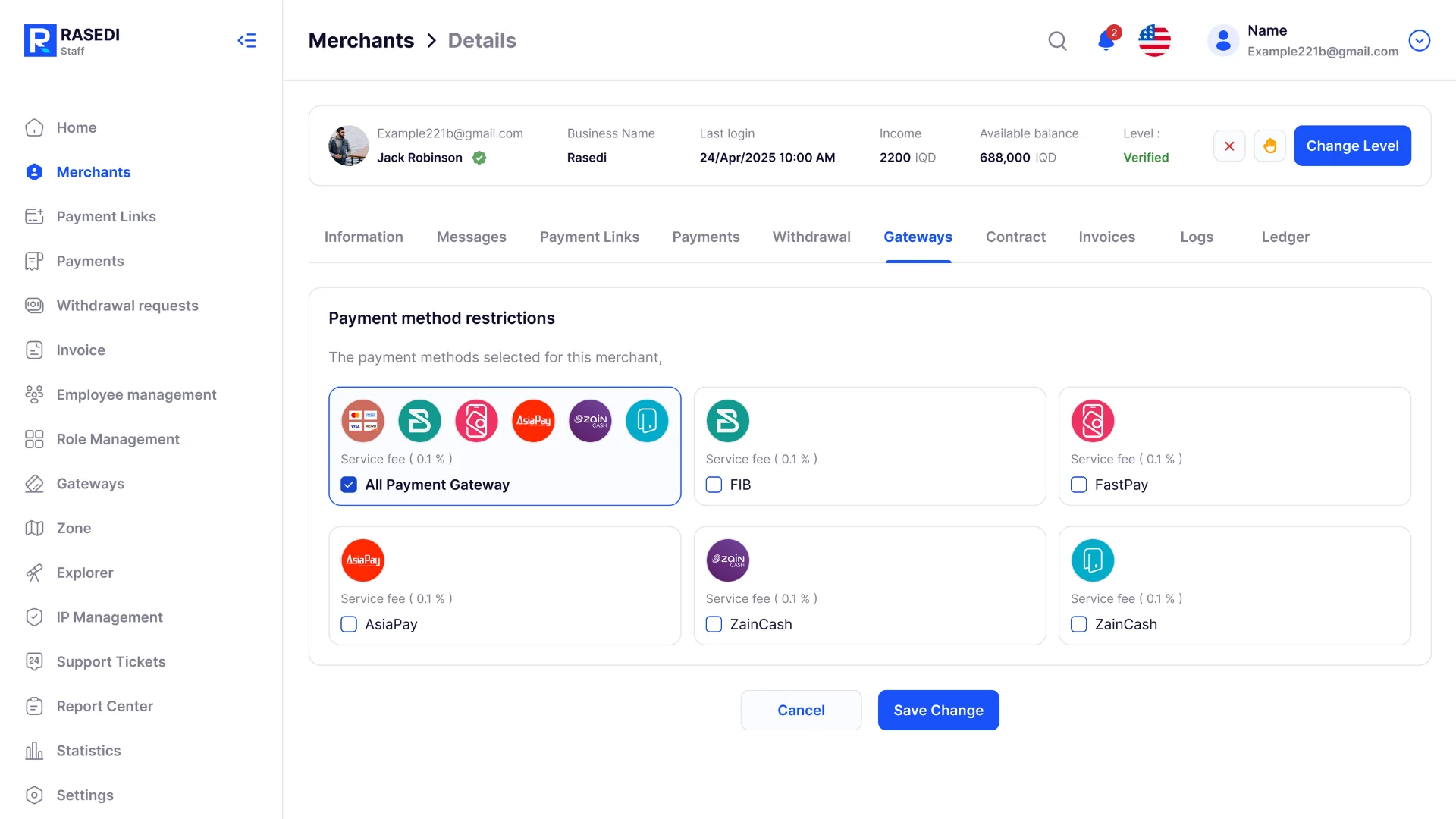
8. Is it possible to control which payment methods each merchant can use?
Yes. The RASEDI staff dashboard lets you enable or restrict specific payment methods for each merchant or sub‑merchant. This is useful for marketplaces, franchises and aggregators that need different configurations across their network.

